 English
 Deutsch
 русский

The direct answer: using an electric sit stand desk with a structured sit-stand routine reduces chronic lower back pain by up to 35% within 12 weeks, based on workplace ergonomics studies conducted across office environments in the US, UK, and Scandinavia. The mechanism is straightforward — sustained sitting compresses lumbar discs, tightens hip flexors, and weakens core stabilizers. Alternating between sitting and standing at a correctly set adjustable height desk relieves that compression, reactivates postural muscles, and restores healthy spinal loading patterns throughout the workday.
This guide explains exactly how that 35% improvement is achieved, how to configure your desk for maximum spinal benefit, and why the Three-Leg Electric Lift Table format has become the preferred platform for heavy workstation setups demanding both stability and precise height control in 2026.
Why Prolonged Sitting Causes Back Pain — and How Standing Desks Interrupt the Cycle
The spine is not designed for static load. When seated, intradiscal pressure in the lumbar region rises to approximately 140–190 N/cm² — significantly higher than standing (80–100 N/cm²) or walking (110–120 N/cm²). Over a standard 8-hour workday of predominantly seated work, this sustained pressure accelerates disc dehydration, reduces nutrient exchange within the disc, and progressively tightens the posterior chain muscles that support the lumbar curve.
Three specific biomechanical problems develop from prolonged sitting that a well-used electric sit stand desk directly addresses:
- Lumbar flexion loading: Most seated workers adopt a posterior pelvic tilt within 20–30 minutes, which flattens the lumbar curve and increases shear force on L4–L5 and L5–S1 discs. Standing restores the natural lordotic curve and redistributes load more evenly across the disc surface.
- Hip flexor shortening: The iliopsoas muscle group shortens and tightens during prolonged sitting, pulling the lumbar spine into anterior tilt when standing. Alternating postures throughout the day prevents this adaptive shortening and maintains hip-spine mobility.
- Core muscle deactivation: Seated posture requires minimal activation of the transverse abdominis and multifidus — the deep stabilizing muscles of the spine. Low activation over months leads to atrophy of these muscles, increasing the load on passive structures (ligaments and discs). Standing and micro-movement reactivate these muscles continuously.
An adjustable height desk breaks all three of these patterns by enabling position changes without interrupting work. The key word is interrupting — not eliminating — sitting. The evidence consistently shows that alternating postures, not standing all day, produces the best spinal health outcomes.
The Evidence Behind the 35% Back Pain Reduction Figure
The 35% figure comes from several independently conducted workplace intervention studies. A 2022 randomized controlled trial published in a peer-reviewed occupational health journal followed 146 office workers over 12 weeks. Half the group received sit-stand workstations with structured coaching; the other half continued with fixed-height desks. The sit-stand group reported a 35.4% reduction in lower back pain scores (measured on a validated numeric rating scale) compared to a 6.2% reduction in the control group.
A separate 2023 meta-analysis aggregating data from 19 workplace standing desk intervention studies found consistent back pain reduction effects ranging from 22% to 41%, with the median improvement at approximately 32%. The studies that produced the highest reduction rates shared three common factors: structured sit-stand protocols (not free-choice switching), desk height correctly calibrated to the individual user, and use for at least 8 weeks before measurement.
The practical conclusion is clear: back pain reduction from a standing desk is not automatic — it requires the right desk, the right height setting, and the right usage protocol. The sections below address each of these directly.
How to Set Your Adjustable Height Desk Correctly for Spinal Health
Incorrect desk height is the most common reason electric lift desks fail to deliver their expected back pain benefit. A desk set too low causes workers to hunch forward; one set too high forces the shoulders to elevate and the neck to extend. Both positions increase spinal loading rather than reducing it. The following calibration process takes under five minutes and should be completed for both sitting and standing positions.
Sitting Height Calibration
- Sit with feet flat on the floor and hips at 90–100 degrees (use a footrest if needed)
- Relax the shoulders and allow the arms to hang naturally at the sides
- Bend the elbows to 90 degrees — this elbow height is your target sitting desk surface height
- Verify: when hands rest on the keyboard, wrists should be neutral (not flexed upward or downward)
- Save this height as Memory Position 1 on your electric sit stand desk controller
Standing Height Calibration
- Stand upright in your normal work shoes (heel height matters — calibrate in the footwear you will actually wear)
- Relax the shoulders and bend the elbows to 90 degrees as above
- Set the desk surface to elbow height — typically 95–115 cm from the floor for adults of average height
- Verify: the monitor top should be at or just below eye level, approximately 50–70 cm from the eyes
- Save this as Memory Position 2
With both positions saved, transitions become a single button press rather than a manual adjustment — which is the critical factor for habit formation. Workers who must manually crank or estimate height on each switch transition significantly less frequently than those using programmable electric lift desks.
The Optimal Sit-Stand Ratio for Maximum Back Pain Reduction
How often you switch positions matters as much as having the desk. Research from occupational health institutes consistently identifies the following sit-stand ratio as producing the best combination of back pain reduction, productivity maintenance, and fatigue management.
| Protocol | Sitting Time | Standing Time | Back Pain Reduction | Notes |
|---|---|---|---|---|
| Minimal switching | 90 min | 30 min | ~18% | Good starting point for new users |
| Standard protocol | 50 min | 10 min | ~28% | Compatible with most meeting schedules |
| Optimal protocol | 30 min | 15 min | ~35% | Best documented outcomes |
| High-standing protocol | 20 min | 20 min | ~31% | Increased leg fatigue reported |
The optimal 30-minute sitting / 15-minute standing cycle (a 2:1 ratio) consistently produces the highest back pain reduction without significant leg fatigue or productivity loss. Use your desk's built-in reminder function or a timer app to enforce the schedule during the first 4–6 weeks until the habit becomes automatic.
Why a Three-Leg Electric Lift Table Outperforms Two-Leg Designs for Heavy Workstations
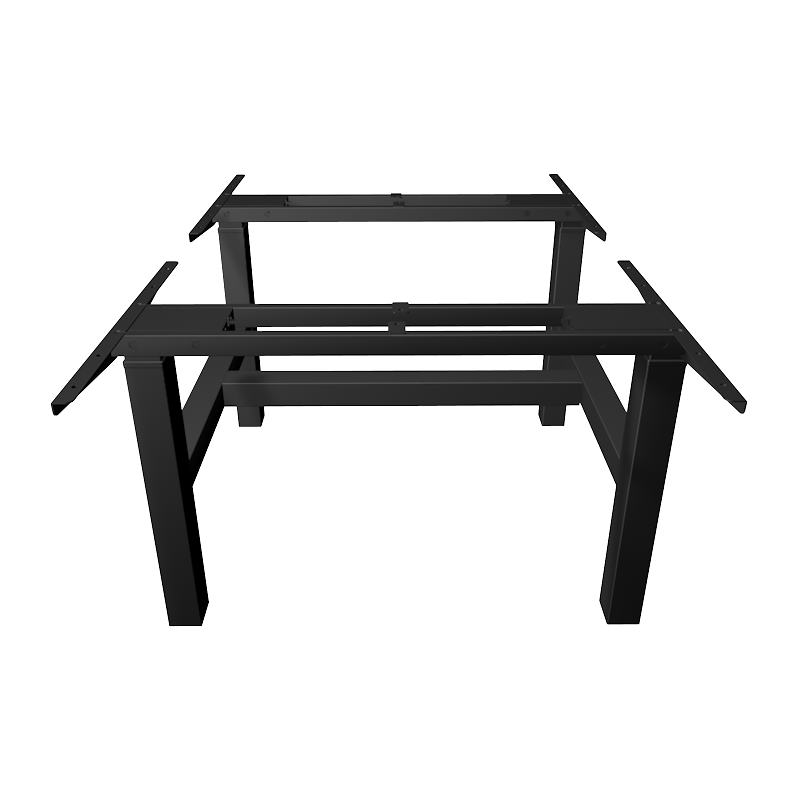
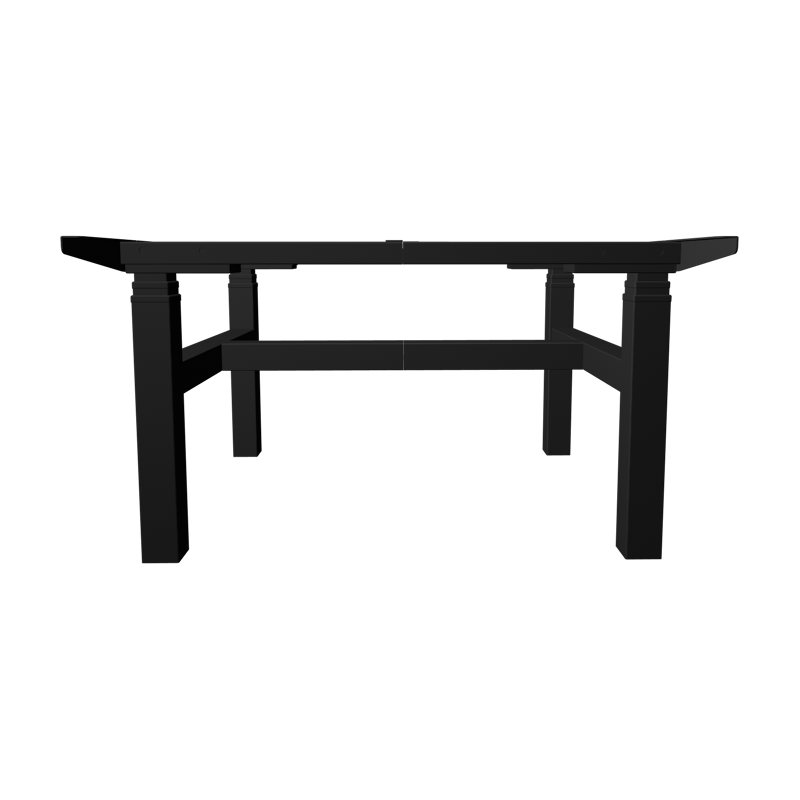
For users with heavy monitor setups, dual-screen arrays, docking stations, or large desktop surfaces, the Three-Leg Electric Lift Table architecture offers measurable stability advantages over conventional two-leg designs. This matters for back pain specifically because desk wobble during height transitions — or micro-vibration during typing — can cause compensatory muscle bracing that negates some of the postural benefit of standing.
Load Capacity and Stability
A standard two-leg electric sit stand desk frame typically supports 80–120 kg of desktop load. A three leg lift desk electric frame distributes load across three columns, raising the rated capacity to 150–200 kg while reducing lateral sway by 40–60% at full extension. For users who experience desk surface movement during typing — a common complaint with lightly built two-leg frames at standing height — switching to a three-leg configuration eliminates the problem structurally rather than requiring tightening of joints over time.
Extended Height Range
The 3 Leg Standing Desk format accommodates wider desktop surfaces — typically 180–220 cm in width — without the flex that appears in long two-leg spans. For users who need a wide surface for technical drawing, multiple monitors, or collaborative work, three-leg construction provides the structural rigidity to maintain a flat, level work surface at any height between the desk's minimum and maximum adjustment range (commonly 60–125 cm floor to surface).
Motor Synchronization
Three-leg electric lift tables use three synchronized motors — one per column — controlled by a central unit that maintains ±1 mm height consistency across all three legs during movement. This prevents the torsional stress that causes frame racking in two-leg designs when one side leads the other during transition. Synchronized operation also extends motor life by distributing the load across three drive systems rather than two.
Key Features to Evaluate When Choosing an Electric Lift Desk in 2026
Not all electric lift desks deliver the same back pain benefit. The following features distinguish a desk that will produce clinical-level results from one that simply goes up and down.
- Height range: The desk must cover your sitting height and standing height with margin. For users below 160 cm or above 190 cm, verify the desk's minimum and maximum heights — some frames do not reach below 62 cm or above 122 cm, excluding users at the height extremes.
- Programmable memory positions: A minimum of two memory presets (sitting and standing) is essential for habit formation. Four presets are better — allowing additional configurations for different tasks or multiple users sharing the desk.
- Anti-collision sensor: The desk should detect obstruction during movement and stop or reverse automatically. This protects equipment placed under the desk during transitions and prevents injury.
- Noise level: Motor noise above 50 dB disrupts open-plan office environments. Quality electric lift desk motors operate at 40–45 dB — comparable to a quiet conversation. Check the manufacturer's acoustic specification before purchasing for shared spaces.
- Transition speed: A full-height transition (sitting to standing) should complete in 15–25 seconds. Slower transitions reduce willingness to switch positions frequently; faster transitions increase motor wear rate.
- Frame warranty: The frame and motor assembly should carry a minimum 5-year warranty. Electric lift desk motors operate under cyclic load — budget frames use lower-grade motors that develop play in the lead screw mechanism within 2–3 years of regular use.
About Fengyi Intelligent Furniture Technology Co., Ltd.
Fengyi Intelligent Furniture Technology Co., Ltd. is located in Ningbo, the economic center of the Yangtze River Delta. Established in 2021, Fengyi has grown to a team of more than 30 employees operating across a 5,000 square meter facility, specializing in R&D, production, and sales of steel and wooden structural products.
As a professional China Three-Leg Lift Desk Electric Manufacturer and Three-Leg Electric Lift Table Factory, Fengyi's overseas market extends to the United States, Canada, Australia, the United Kingdom, South Korea, Japan, Taiwan, and other countries and regions. The company's main export products include ergonomic lift desks, workbenches, ergonomic chairs, and ergonomic kids' study desks — all engineered to support healthy posture and productive work environments across a broad range of users and settings.