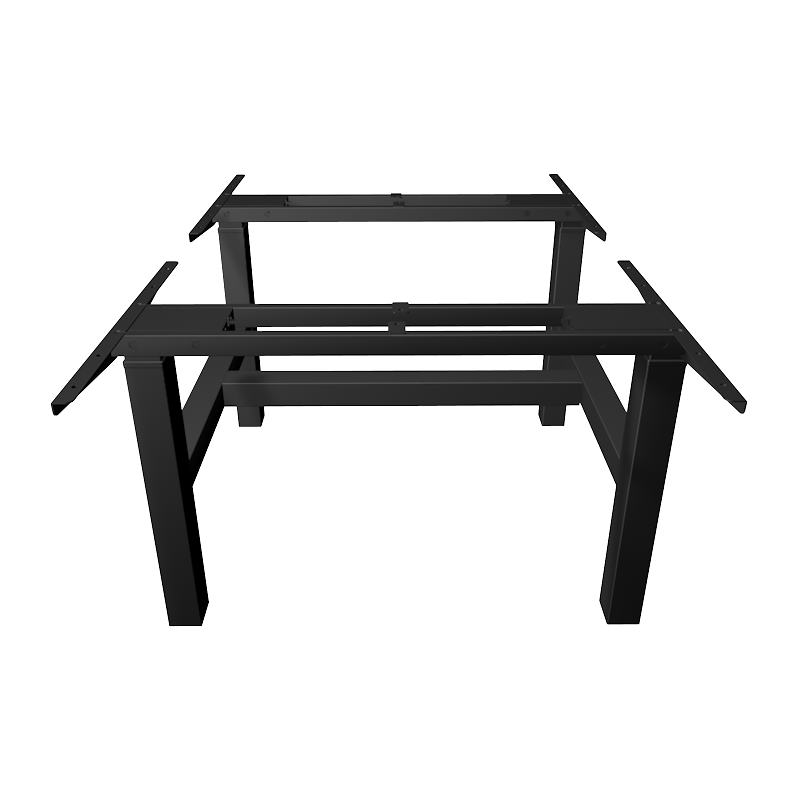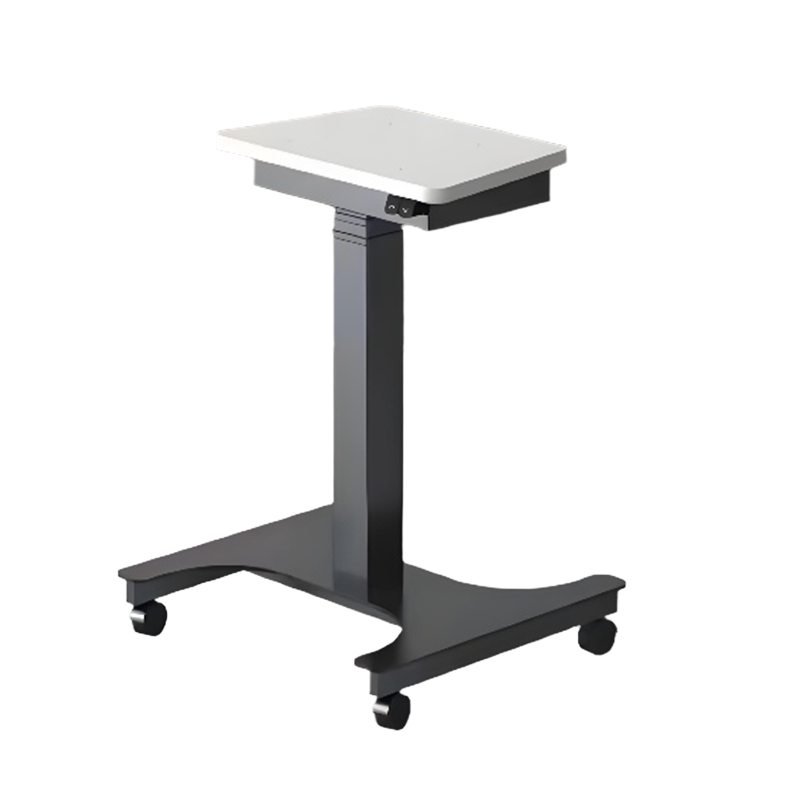
 English
 Deutsch
 русский

1. Advantages of standing office
Standing office as a healthy way of working has been highly praised in recent years. It doesn’t require you to stand all day, but encourages you to alternate between sitting and standing to break the curse of sitting for long periods of time.
Core benefits for physical health:
Combat the harm of prolonged sitting and reduce the risk of chronic diseases. This is the core benefit of standing office. Sitting for long periods of time has been dubbed the “new smoking” by scientists and is closely linked to a variety of health problems:
Slowed metabolism: Sitting for long periods of time reduces the activity of lipoprotein lipase, an enzyme that helps break down fat, leading to higher triglyceride levels and an increased risk of obesity and diabetes.
Cardiovascular disease: Studies have found that the longer you sit every day, the higher your risk of heart disease and high blood pressure. Standing can promote blood circulation and reduce the burden on the heart.
Certain cancer risks: Prolonged sitting may be linked to an increased risk of cancers such as colon and breast cancer.
Improve posture and relieve back pain:
When you sit, especially if your posture is incorrect, your lumbar spine and intervertebral discs bear tremendous pressure, which can easily lead to lumbar muscle strain and disc herniation.
Standing and working forces you to mobilize your core muscles more naturally to support your body, which helps keep your spine in a more neutral position, thereby significantly reducing the pressure on your lower back and is an effective way to prevent and relieve low back pain.
Promote energy consumption and aid weight management:
Although standing is not as strenuous as running, it is a type of "non-exercise thermogenic activity." Compared with sitting, your heart rate is slightly faster while standing and you can consume about 10%-20% more calories.
Over the course of the day, the cumulative burn is considerable (perhaps hundreds of extra calories), helps prevent weight gain, and is a simple and effective strategy for weight management.
Improve blood circulation and blood sugar levels:
Standing and walking can promote blood flow, prevent blood pooling in the lower limbs, and reduce the risk of deep vein thrombosis.
Standing briefly or engaging in light activity after a meal can help reduce blood sugar spikes more smoothly and have a positive impact on insulin sensitivity.
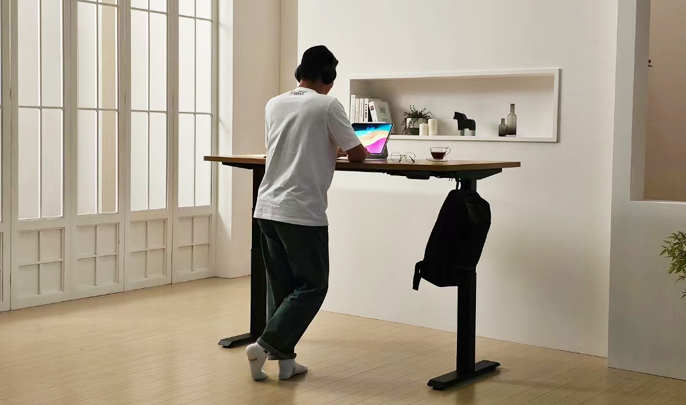
2. Positive impact on work efficiency and spirit
Improve focus and creativity:
Changing your body posture can help "reboot" your brain. When you feel sleepy in the afternoon or your thoughts are stagnant, switching from a sitting position to a standing position can stimulate blood circulation and deliver more oxygen and blood to the brain, thereby helping you focus and think outside the box, which may inspire new ideas.
Increase overall energy and reduce fatigue:
Sitting for long periods of time can make people feel drowsy and sluggish. Standing can keep you in a more active and alert state, helping to combat the mid-afternoon energy slump and keep you active throughout the day.
Facilitate more micro-activities and collaboration:
When you are standing, you will naturally be more inclined to move in a small range, such as standing still, shifting your center of gravity, stretching, etc. These “micro-activities” are equally beneficial.
The standing posture also makes it easier for you to have brief exchanges with colleagues, rather than everything being resolved via email or instant messaging, potentially promoting more efficient teamwork.
3. How to practice standing office scientifically?
Important: Standing at work does not mean standing for long periods of time!
Excessive standing may also cause problems, such as increased pressure in the veins of the lower extremities and discomfort in the feet. The correct core is "combination of movement and stillness".
Follow the principle of "alternating sitting and standing": it is recommended to start with sitting mainly and standing for short periods of time. For example, for every 45-60 minutes of sitting, stand for 15-30 minutes. You can use a timer or smart watch to remind yourself.
Invest in a good sit-stand desk: it’s the most convenient tool for alternating between sitting and standing.
Equipped with anti-fatigue floor mats: Standing on hard floors can be uncomfortable. A good floor mat can provide cushioning and support, allowing you to stand longer and more comfortably.
Pay attention to your stance: When standing, keep your ears, shoulders, hips, knees, and ankles roughly in a straight line. Feet shoulder-width apart, knees slightly bent, don't lock them. Wear supportive shoes.
Combine walking and stretching: Make the most of your time standing by doing simple stretches like moving your ankles and stretching your calves and back. You can pace while answering the phone or thinking.
The electric height-adjustable desk is far more than just a fashionable piece of furniture for "standing and working", it is a powerful tool for improving efficiency. It indirectly but profoundly improves office efficiency by affecting your physical health, mental state and work habits.
(1). Fight the afternoon slump and maintain energy levels throughout the day
Problem: In the traditional sedentary office mode, there is an obvious energy trough between 2 and 3 o'clock in the afternoon ("rice gas hits the heart"). Blood sugar changes and slowed blood circulation lead to loss of concentration and drowsiness.
Solution: Electric sit-stand desks allow you to proactively break this cycle. When you feel sleepy and slow in thinking, just press a button to switch to standing mode.
Efficiency improvements:
Physical restart: Standing posture can immediately increase the heart rate, promote blood circulation, and deliver more oxygen and fresh blood to the brain and body, just like a "system restart".
Stay alert: The standing state itself can make the body more alert, effectively dispel sleepiness, and allow you to stay focused during the critical period in the afternoon.
(2). Promote blood circulation
Problem: Sitting for long periods of time compresses blood vessels and slows blood circulation, resulting in insufficient oxygen supply to the brain and slowing down thinking speed.
Solution: Standing while working reduces the pressure on the blood vessels in the abdominal cavity and lower limbs, allowing blood to flow more smoothly. Even small movements while standing (such as shifting your center of gravity) are equivalent to a continuous increase in blood circulation.
Efficiency improvements:
Clearer thinking: Better blood circulation means more nutrients and oxygen are available to the brain, which improves cognitive function, including memory, reaction speed, and logical thinking.
Reduce brain fog: Helps eliminate the drowsiness caused by sitting for long periods of time, allowing you to think more clearly and solve problems more efficiently.
(3). Improve physical discomfort and reduce interference and interruptions
Problem: Back pain, shoulder and neck stiffness are common ailments among office workers who sit for long periods of time. Not only are these pains a health problem, they’re also a huge productivity killer—they’re a constant distraction.
Solution: Standing while working can effectively relieve pressure on the spine, force the core muscles to work, and improve overall posture. By alternating between sitting and standing, you can prevent continued tension and strain on your muscles in the same position.
Efficiency improvements:
Pain-free office: It reduces frequent breaks, distractions and getting up activities caused by physical discomfort, allowing you to maintain a "flow" state for a longer period of time.
Improved attendance: In the long term, it helps prevent occupational diseases associated with sitting for long periods of time and reduces the likelihood of sick leave due to health issues.
(4). Optimize work flow
Problem: The fixed workstation limits the working posture and cannot be flexibly adjusted according to different task types.
Solution: Electric height-adjustable desks make your workspace dynamic and smart.
Efficiency improvements:
Task partition: You can set different height memory bits for different types of tasks.
Memory key 1 (sitting position): used for in-depth work that requires high concentration, such as writing code and writing reports.
Memory key 2 (standing): used for more active tasks such as creative expression, conference calls, and browsing information.
Memory key 3 (high position): used for temporary reference to information placed high up, or for short communication with colleagues.
Quick switching: This kind of physical posture switching can give the brain a clear signal, helping you quickly switch between different working modes and improving the efficiency of task switching.
(5). Improve concentration and creativity
Problem: Working in the same position and in the same posture for a long time can easily lead to stereotypes and deadlocks.
Solution: Simply changing your body position has been shown to change your mental perspective.
Efficiency improvements:
Break the ice: When you encounter a problem or creative bottleneck, the simple act of switching from sitting to standing can change your physiological state, thereby stimulating new neural connections and helping you think outside the box and find new solutions.
Active management of attention: It allows you to actively manage your attention resources instead of passively being affected by fatigue and discomfort.
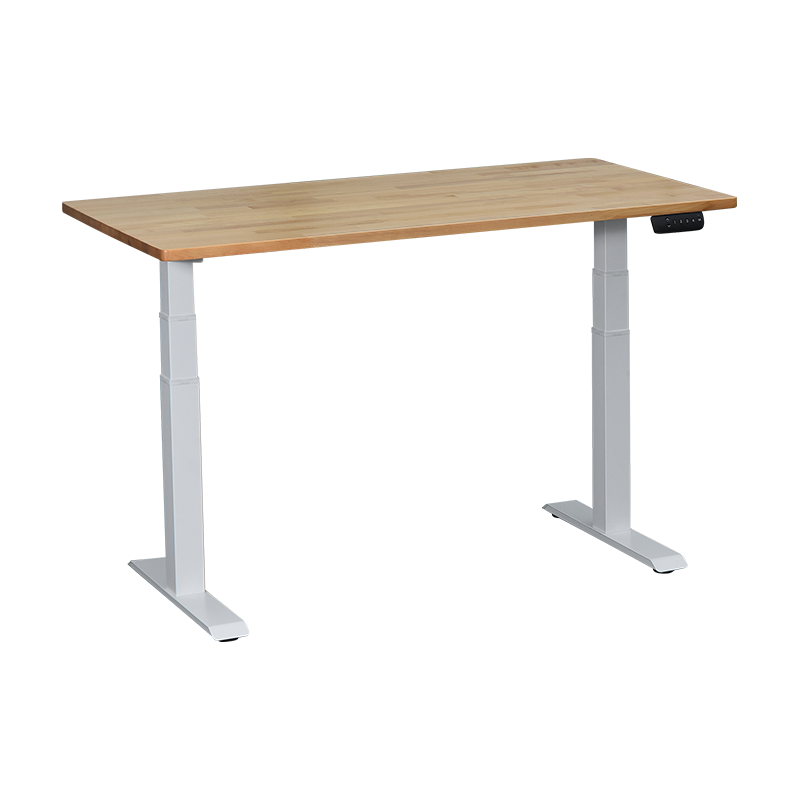
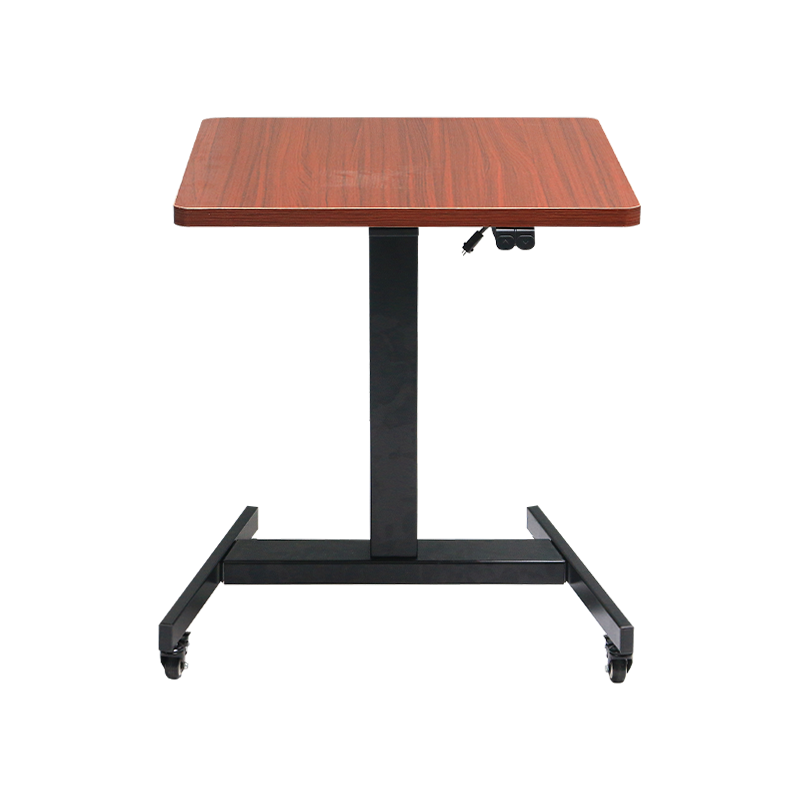
4.What should you pay attention to when using an electric lift table?
(1), Installation and setup stage
Read the instructions carefully: Different brands of desks may have differences in installation procedures, weight limits, and calibration methods. Be sure to read the instructions thoroughly before getting started.
Make sure the floor is flat and stable: the three (or four) legs of the electric lift table must be completely and smoothly touching the ground. Uneven floors can cause the table to wobble and put unnecessary stress on the motor and structure. The first thing after installation is to adjust the table leg foot pads to ensure absolute stability.
Connect cables correctly: Make sure all wires (power supply, motor, controller) are securely plugged into their corresponding ports and follow the instructions to route them to prevent them from getting caught on moving parts.
Perform height calibration: After first use or moving the position, height calibration must be performed according to the instructions (usually by lowering to the lowest level and then pressing and holding a button). This is the basis for ensuring the accuracy of the lifting height and the normal operation of the memory function.
(2)use operation stage
Strictly observe load limits:
Clarify the maximum load-bearing value: Know the maximum load-bearing value of your table (usually stated in the manual or official website).
Calculate the total weight: The load-bearing weight includes the total of monitors, notebooks, stands, keyboards, books, sundries, and other items that have been placed on the desktop for a long time.
Evenly distribute weight: Avoid concentrating all heavy objects (e.g., dual monitor stands, consoles) in one corner or side of the desk. Uneven loads will cause poor lifting, abnormal noise, and accelerate motor and structural wear.
Keep lifting paths clear:
Under the desktop: Make sure it is not caught by walls, bookshelves or other furniture when lifting.
Around the table legs: Check and organize the power cord and network cable to prevent them from getting entangled on the table legs. Otherwise, the anti-collision protection function will be triggered, causing the table to automatically stop or run in reverse.
Smooth operation and avoid shock:
During the lifting process, do not forcefully push, pull or press the tabletop with your hands.
Avoid shaking the table violently when lifting or lowering it.
It is strictly prohibited to let children play with the lifting switch, or sit or lean on the lifting table.
Follow the principle of "alternating sitting and standing" instead of standing for long periods of time:
The core goal of using a sit-stand desk is to break up long periods of sitting, not replace it with long periods of standing.
It is recommended to adopt a dynamic transformation method, for example: sit for 45-60 minutes and stand for 15-30 minutes. Find a rhythm that works for you.
Standing for long periods of time may cause fatigue or discomfort in the lower limbs.
(3) Maintenance and maintenance stage
Tighten the screws regularly: Screws at joints may become loose due to constant micro-vibrations during lifting. It is recommended to check and tighten the screws at the connections between table legs, table plates, beams, etc. every 3-6 months.
Proper cleaning:
Desktop: Wipe with a soft cloth and neutral detergent. Avoid using abrasive cleaners (abrasive cleaners), alcohol or strong chemical solvents to avoid damaging the tabletop coating.
Table legs and rails: Dust with a dry cloth. Regularly clean dust and debris from the telescopic rails and apply a small amount of silicone grease if necessary to keep them smooth (never use WD-40).
Properly manage cables: Use the cable management device that comes with the desk or a self-purchased cable manager to secure the cables neatly. Not only are messy cables unsightly, they can also become entangled in mechanical structures.
Pay attention to power safety:
It is recommended to unplug the power plug during thunderstorms to prevent lightning surges from damaging the electronic control system.
You may consider cutting off the power when you are out for a long time or not in use.
(4) Troubleshooting and safety
When encountering a fault, check yourself first: Most common problems (such as no lifting, memory failure) can be solved through the three-step method of "power off and restart, reduce load, and recalibrate".
Do not disassemble core components by yourself: If it is determined that the motor, control box or power adapter itself is faulty and it is within the warranty period, do not open it by yourself and contact after-sales service directly to avoid losing warranty qualifications.
Pay attention to abnormal signals: If the table makes a huge, continuous abnormal sound (abnormal motor operation sound), or smells a burning smell, you should immediately stop using it and cut off the power, and contact after-sales service for inspection.
Electric lift table FAQ troubleshooting table:
| Fault phenomenon | most likely cause | Steps to resolve on your own |
| The desktop is unresponsive and the indicator light is off | 1. The power is not connected | 1. Check whether the socket has power and whether the plug is plugged in tightly |
| 2. Power adapter failure | 2. Check whether the power adapter indicator light is on and whether there is any peculiar smell. | |
| The indicator light is on, but the buttons are unresponsive | 1. The control cable is loose | 1. Unplug the power supply and restart the system |
| 2. Hand controller failure | 2. Check the hand control cable (need to power off) | |
| It can only rise but not fall (or vice versa) | 1. Anti-collision protection trigger | 1. Check and remove obstacles on the lifting path |
| 2. Uneven load | 2. Adjust the distribution of desktop items to ensure load balance | |
| Lifting stopped midway | 1. Overload protection | 1. Remove some heavy objects to ensure that the maximum load capacity is not exceeded |
| 2. Legs and feet are not flat | 2. Adjust the foot pads so that all table legs are on the ground smoothly | |
| 3. Fall back when encountering obstacles | ||
| Slow lifting speed/loud noise | 1. Overloaded | 1. Immediately reduce the load to within the rated range |
| 2. Requires lubrication and maintenance | 2. Clean the rails and apply a small amount of silicone grease | |
| There is a friction sound when lifting | 1. Screws are loose | 1. Check and tighten all connecting screws |
| 2. Lack of lubrication | 2. Clean and lubricate the telescopic inner column | |
| There is a crashing sound when lifting | 1. Cable interference | 1. Open the cable management cover and organize the internal cables |
| 2. Loose structural parts | 2. Check the cross beam connections and tighten them | |
| Tabletop shakes | 1. The ground is uneven | 1. Adjust the foot pads to ensure that all table legs are on the ground |
| 2. Too high a height | 2. Avoid leaning on when in extremely high positions | |
| 3. Screws are loose | 3. Tighten the screws connecting the table legs to the table plate. | |
| Height display is incorrect | System needs calibration | Perform height calibration: lower to the lowest level and long press the down button (see instructions for details) |
| memory function failure | 1. System chaos | 1. Perform height calibration first |
| 2. Not calibrated | 2. Reset the memory bit after power off and restart. |
Core maintenance recommendations:
Regular inspection: Tighten the connecting screws every 3 months
Reasonable Loading: Always make sure the weight is within the rated range and evenly distributed
Keep it clear: Regularly clear obstacles and cables on the lifting path
Correct calibration: When you move the position or find that the display is not accurate, perform the calibration procedure as soon as possible
(5) Core maintenance points for electric lift tables
Daily cleaning and maintenance
Table: Wipe with a slightly damp soft cloth. For stubborn stains, use a small amount of neutral detergent (such as diluted dish soap). Do not use corrosive, abrasive cleaners or alcohol as they may damage the coating.
Table legs and guide rails: Use a dry cloth to brush away dust regularly, paying special attention to cleaning the gaps in the telescopic columns to prevent dust and debris from accumulating.
Screw fastening
Frequency: Monthly or quarterly.
Parts: Focus on checking the connection between the table legs and the table board, the connection between the three legs and the foot pads.
Note: Just tighten, do not use excessive force to cause slippage.
Check the lifting path
Make sure there are no debris or entangled power cords in front and below the table legs to ensure smooth lifting and lowering to avoid triggering the anti-collision protection.
Periodic in-depth maintenance (every six months/year)
Mechanical lubrication part: telescopic inner column (metal surface) of the table leg.
Lubricant: Use silicone grease or white lithium grease.
method:
Raise the table to its highest position.
Use a cloth to clean old oil and dust from the inner column.
Apply a very thin layer of grease.
Raise and lower the table several times to distribute the grease evenly.
Contraindications: Do not use penetrating lubricating oil, as it easily absorbs dust and the lubricating effect is not long-lasting.
Cable management check
Check whether the built-in cable management trough and Velcro are loose, and organize the power cord and signal cable to prevent them from rubbing or entangled with moving parts.
System calibration
Even if there are no abnormalities, it is recommended to perform altitude calibration every six months to maintain the accuracy of the altitude display. The method is usually: lower the table to the lowest position, and then press and hold the down key (or designated key) until the prompt sounds. (Please refer to the product manual)
Preventative maintenance using habits
Avoid concentrating all heavy objects (such as dual monitors, consoles) on one corner of the desktop for long periods of time. Evenly distributing weight is key to reducing one-sided wear on the motor and structure.
When lifting, please ensure that the desktop items are stable and do not press or push or pull the desktop forcefully.
Do not allow children to play with the lift switch or sit on the table.
Strictly adhere to the maximum load capacity indicated on the product. All items such as monitors, stands, books, etc. must be included in the weight calculation.
5.FAQs about electric lift tables
Part 1: Selection and Installation
(1). Is an electric lift table worth buying?
Definitely worth it. It's a highly effective investment in health and productivity. The core value is to help you break "sitting for long periods of time", the most unhealthy behavior in modern offices. By alternating between sitting and standing, it can effectively relieve back pain, improve circulation, and increase concentration.
(2). Single motor vs. dual motor, what is the difference?
Single motor: One motor drives two table legs through a transmission rod. The advantage is that it is cost-effective and meets most daily use needs.
Dual motors: Each of the two table legs has an independent motor. The advantages are stronger power, smoother and faster lifting, less noise, and generally longer life. It is especially suitable for heavy-load users. The disadvantage is that the price is higher.
(3). Is it difficult to install?
Most desks are modular in design and the installation process is moderately difficult. The key steps are:
Connect the table legs to the beam.
Secure the assembled bracket to the back of the table.
Connect all wires (power supply, motor, controller).
The most important step: be sure to adjust the table legs after installation to ensure that all legs are on the ground smoothly. This is a prerequisite for ensuring stability and normal operation.
Part 2: Use and experience
(4). What is the correct rhythm of alternating sitting and standing?
It is recommended to follow the principle of "dynamic change". There is no absolute standard, but a general starting point is: 45-60 minutes of sitting and 15-30 minutes of standing. You can use a timer to remind yourself and find a rhythm that works best for you. The key is to avoid prolonged static postures, whether sitting or standing.
(5). Why does the table automatically lower itself after it reaches a certain height?
This almost always triggers the built-in collision protection (fallback in case of obstruction) function. Please check now:
Under the table: Are there any wires, clutter, or furniture stuck?
Load: Is it overweight or severely unbalanced?
Floor: Is it level and do all table legs touch the floor?
Once the obstruction is removed and the load is balanced, normalcy can be restored.
(6). What should I do if I feel discomfort in my feet or waist while standing at work?
This is usually a sign of prolonged standing or poor posture.
Equipped with an anti-fatigue floor mat: it provides cushioning, promotes micro-movements of the legs, and greatly improves comfort.
Wear supportive shoes: Avoid standing barefoot or wearing thin-soled slippers.
Maintain a correct stance: bend your knees slightly, do not lock them, and alternate your weight between your feet.
Move around and stretch more: Don't stand still, move your body at all times.
Part 3: Troubleshooting and Maintenance
(7). What should I do if the table does not respond at all and the indicator light does not light up?
Check in the following order:
Check the power supply: Make sure the socket has power (try plugging in other electrical appliances) and the power cord is plugged in securely.
Check the adapter: Check whether the power adapter (black box) indicator light is on and whether there is any peculiar smell.
Restart: Unplug the power cord, wait one minute and then plug it back in. This is the "master key" to fixing temporary system errors.
(8). What should I do if the height display is inaccurate or the memory function is disordered?
This is the most common problem and needs to be solved by height calibration.
General method (please refer to the manual): Lower the table all the way to the bottom, then press and hold the down button (or setting button) for about 5-10 seconds, and it is complete when you hear a tone or see the indicator light flashing. After calibration, just reset the memory height.
(9). What is the reason for the abnormal noise (crunching/clicking sound) when lifting?
Creaking/grinding sound: Most likely the screws are loose. Please tighten all screws at all connections. It could also be that the inner columns of the table legs need lubrication.
Clicking/bumping sound: It may be that the internal cables are not secured properly and are slapping against metal parts when lifting or lowering. It is necessary to open the cable management cover to check and organize.
(10). How to maintain my height-adjustable table on a daily basis?
A few key points to remember:
Tighten screws regularly: Check and tighten all connecting screws quarterly.
Place heavy objects evenly: Avoid stacking heavy objects in one corner for a long time.
Keep the guide rails clean: Clean the table leg telescopic columns with a dry cloth regularly, and apply a small amount of silicone grease every year to lubricate them.
Proper cleaning: Wipe the table with a damp soft cloth and a medium-duty detergent, avoiding corrosive liquids.
Part 4: Other frequently asked questions
(11). Does the electric lift table consume a lot of power?
Very small. The lifting table only works for a short period of time when it is raised and lowered, and the power consumption is usually between 100-200 watts. The standby power consumption is extremely low. It is estimated that the power consumption is only equivalent to a few kilowatt hours of electricity per year if it is lifted and lowered multiple times a day, which can be ignored.
(12). Can it hold multiple monitors?
Yes, but two points must be noted:
Total weight: Make sure the total of the monitor, stand, and everything else does not exceed the maximum weight capacity of the table.
Weight distribution: When using a dual-monitor stand, try to install the stand in the center or rear of the desktop to avoid placing the weight too far forward or to one side to ensure smooth lifting and structural longevity.