 English
 Deutsch
 русский

1. What are the Advantages and Features of a Single-Leg Electric Lift Table?
Traditional desks can be clumsy and overbearing in limited living spaces, not only taking up valuable floor space but also limiting flexible use. Small homes offer office nooks, gaps near bay windows, unused areas at the foot of beds, and even difficult-to-plan corners. These fragmented spaces should be extensions of life, but they often become forgotten due to the limitations of traditional furniture. The emergence of single-leg electric lift tables breaks this spatial dilemma, making even small spaces more effectively utilized.
Advantage 1: Unleashing the Potential of Small Spaces
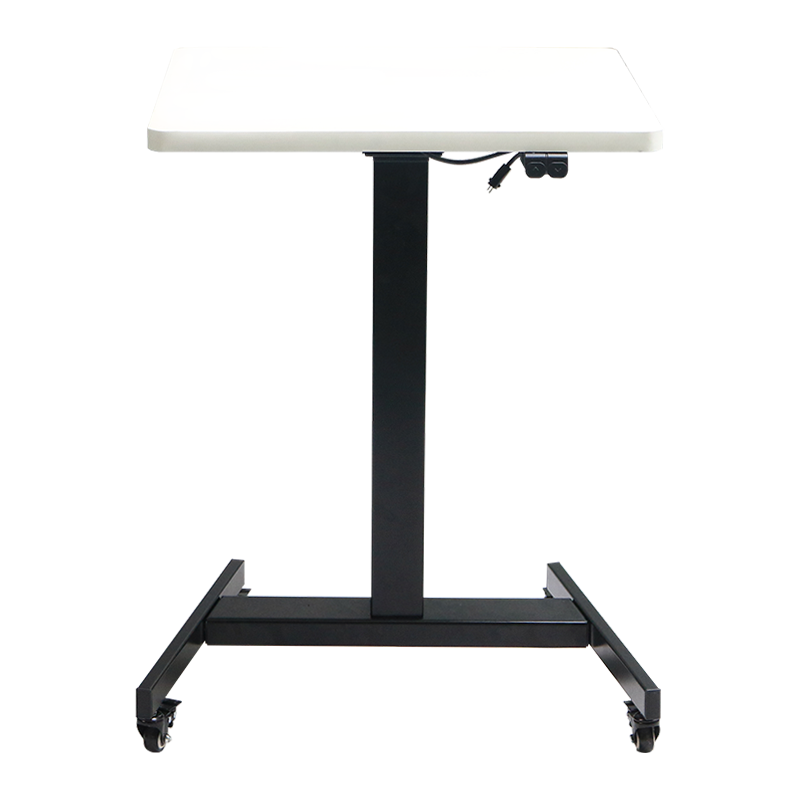
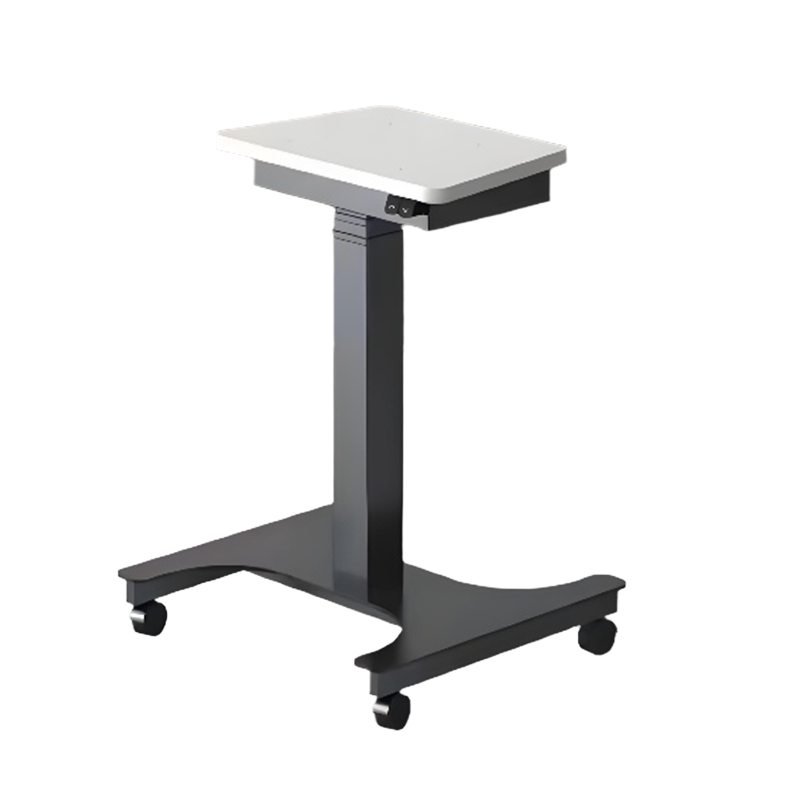
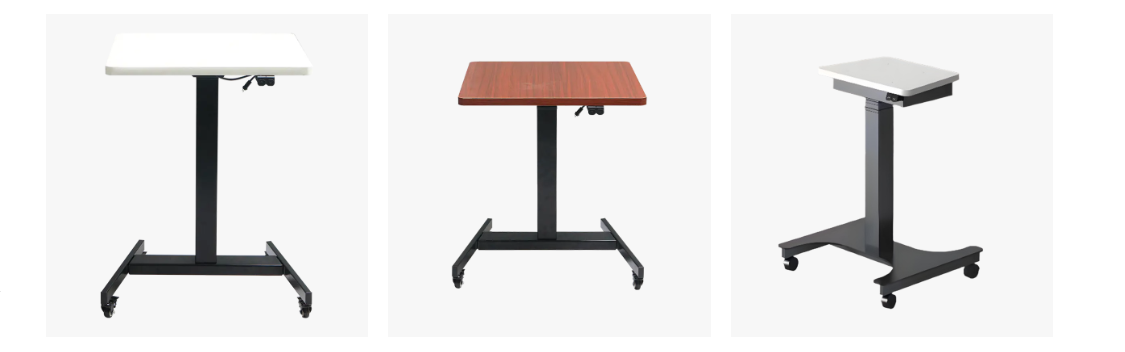
The single-leg electric lift table overturns the traditional multi-legged support structure of the desk. Its key feature lies in its innovative single-column central support structure. A sturdy and well-designed central column replaces the typical four legs, firmly supporting the entire tabletop like a pinnacle.
This design significantly frees up space:
Sharply reduces floor space: Eliminating the constraints of a four-legged arrangement of legs, the single-column structure significantly reduces the desk's footprint. In a crowded bedroom, a small study, or a corner of the living room, it acts like a spatial wizard, creating a complete function with just a foothold.
A conqueror of fragmented spaces: The gap next to a bay window, the unused area at the foot of the bed, hard-to-use corners, even the end of a hallway—these "scraps" of space where traditional desks struggle can be easily accommodated by a single-leg lift table. With just one table, you can instantly transform a previously unused corner into a prime area for efficient work or study.
Unrestricted Layout: Without the visual and physical obstruction of table legs, the chair can be moved more freely, freeing up unprecedented legroom. Whether placed against a wall or freestanding, it blends harmoniously with its surroundings, creating an open and transparent visual experience.
The single-leg design not only saves physical space but also liberates spatial thinking, allowing even small apartments to create a grand layout.
Advantage 2: Electric lift technology for precise ergonomics
If the single-leg design solves the problem of "storage space," then electric lift technology perfectly addresses the core need of "comfort." The single-leg electric height-adjustable desk features a high-performance, silent motor and precision control system, delivering a smooth, stable, and reliable lifting experience.
Height Adjustment: The desk height can be freely adjusted from 630mm to 1280mm (or customized). Whether you need to sit upright for focused work or stand to relieve the strain of sitting, switch with one click to achieve a healthy work style, alternating between sit-stand and sit-stand.
Millimeter-level Precision: Say goodbye to the laborious and imprecise manual adjustment process. Electric height adjustment technology ensures stable, smooth, and infinitely variable adjustments, allowing you to easily find the optimal height for your current posture. The memory function is even more thoughtful, allowing you to access preset sitting or standing heights with a single click, saving time and effort.
Personalized Height Customization: Find the most comfortable support point for different heights and usage habits (e.g., with a high chair or standard chair). This freedom of height control is key to maintaining cervical and lumbar spine health and preventing occupational strain injuries.
Electric height adjustment transforms desks into intelligent partners that adapt to your body's needs, making healthy work within reach.
Advantage 3: A Perfect Combination of Minimalist Aesthetics and Durability
The single-leg electric height-adjustable desk not only excels in functionality, but also pursues the pinnacle of design aesthetics and detailed craftsmanship.
Minimalist Visuals, Hidden Beauty: Eschewing complex exposed screws and connectors, the desk features concealed screws. The clean lines of the entire desk create a seamless visual experience, embodying the minimalist beauty of industrial design to its fullest. Whether it's a modern minimalist, a Nordic style, or an industrial retro interior, it perfectly blends in, elevating the space's style and creating a finishing touch.
Hardcore Protection, Lasting Impressions: The desk and key components are coated with a high-quality hard plastic powder coating. This durable coating not only provides a delicate and smooth touch, but also offers excellent resistance to scratches, abrasions, and corrosion. It withstands minor bumps, the placement of items, and frequent cleaning during daily use, leaving little visible damage, ensuring a pristine appearance for years to come.
Ready-to-use, Hassle-Free: The single-column structure is sturdy, yet installation is simple. The modular design and clear instructions make assembly easy for even the most casual user. The sturdy base and meticulously calibrated lift system ensure smooth and quiet operation, eliminating any worries.
With elegant design and exquisite craftsmanship, it blends durability with aesthetic appeal, making every use a pleasure.
The single-leg electric lift desk is more than just a revolution in furniture form. Its single-column structure breaks the deadlock in space utilization in small apartments; its electric lift function drives innovation in healthy work styles; and its simple, sturdy design reshapes our understanding of desktop aesthetics.
Standing quietly by a bay window, it becomes a sun-soaked reading nook; nestled at the foot of the bed, it instantly expands the bedroom into a productive workspace; and nestled into a corner, it transforms a stale space into a dedicated study area. What you experience is no longer just cold, wooden panels, but the delight of a redefined space, the comfort of intelligently nurturing your body, and the warmth of modern technology integrated into everyday life.
2.What are the effects of a single-leg electric lift table on the human body?
(1) Sitting for long periods of time: a "chronic poison" lurking in office chairs
Invisible shackles on the spine: Sitting for long periods of time causes the lumbar spine to bear 1.5 times the pressure of standing. Continuous pressure on the intervertebral disc can easily lead to bulging or protrusion. The "screen neck" posture of the cervical spine with forward tilt accelerates bone hyperplasia and muscle strain.
Silent killer of metabolism: Muscle contraction activity is almost stagnant, resulting in a 90% decrease in lipase activity, reduced blood sugar metabolism efficiency, and a significant increase in the risk of diabetes. Blood circulation slows down, and the risk of deep vein thrombosis is hidden.
Invisible loss of life: Studies have found that women who sit for more than 6 hours a day have a 37% higher risk of premature death than those who sit for less than 3 hours. Sitting for long periods of time is positively correlated with an increased incidence of 13 types of cancer, including breast cancer and colon cancer.
(2) Stand-sit alternation: Reduce spinal pressure
The 630mm-1280mm stepless electric lift of the single-leg electric lift table (customizable height) turns stand-sit alternation from a concept into a reality with the touch of a fingertip.
Spinal pressure relief station: When standing, the lumbar load is reduced by 30%, and the intervertebral disc pressure returns to its natural state. The 90° elbow bend (the top of the screen is at eye level) is precisely matched with the desktop height, and the cervical spine returns to a neutral position, relieving shoulder and neck pain from the root.
Metabolic restart: Energy consumption increases by 50% when standing, and the increase in myoelectric activity activates the "metabolic switch". Studies have shown that for every hour of standing, the post-meal blood sugar peak is reduced by 43%, and insulin sensitivity is significantly improved.
Improve thinking vitality: The creativity score of standing office workers increases by 46%. The upright posture promotes the secretion of norepinephrine, increases the oxygen supply to the brain by 15%, and simultaneously improves concentration and decision-making efficiency.
(3) Single-leg design
While electric lifting technology solves the height adaptation problem, the single-column central support structure deepens the health experience from the spatial dimension:
Extension of free movement radius: 360° open space without the constraints of table legs, combined with the free movement of the chair, realizes natural "micro-movement" when switching between sitting and standing - stretching, stepping, lunging and other movements are seamlessly connected, avoiding the risk of tripping with traditional multi-legged tables.
Healthy transformation of fragmented space: daylight standing area by the bay window, morning reading corner at the end of the bed, meditation space in the corner... The single-leg structure allows the lifting table to be embedded in any corner, extending the standing office scene to all hours of life, greatly improving the compliance of healthy behavior.
Elegant and load-bearing healthy aesthetics: The single-column stainless steel support force reaches more than 80kg, and the lifting process is smooth and shake-free (noise <40dB). The hard plastic powder spray-coated tabletop is scratch-resistant and easy to clean, preventing bacterial growth, adding a layer of protection for health.
3.How to maintain a single-leg electric lift table?
(1) Daily cleaning and maintenance
Desktop maintenance: Use a microfiber cloth to dry wipe to remove dust daily, and use a neutral detergent (pH 6-8) and warm water to wipe weekly. Do not use steel wool or strong acid cleaners (which will destroy the molecular structure of the coating), and avoid contact between acetone solvents (such as nail polish remover) and the desktop.
Treatment of stubborn stains: Spray 75% medical alcohol on the cloth and apply it for 3 minutes, then wipe gently in one direction. Do not use sharp objects such as steel wool and blades to scratch.
It is recommended to lay leather table mats in high-frequency use areas to reduce keyboard friction scratches and extend the life of the coating.
Column dust removal and rust prevention
Use a vacuum cleaner with a flat nozzle to clean the lifting gap dust (especially the bottom telescopic cavity) every month. Dust accumulation can cause the track to jam.
Spray the surface of the steel column with rust inhibitor every quarter, let it stand for 10 minutes, and then wipe with a dry cloth to prevent rust in a humid environment.
(2) Mechanical system maintenance
Three core principles of lifting
Load control: The total weight of the desktop should not exceed 80kg (including equipment) when lifting. Overloading will accelerate gear wear.
Operation interval: Continuous lifting ≤10 times requires a 30-minute pause to prevent the motor from overheating.
Obstacle inspection: Before lifting, check whether there is a power cord/debris under the table to avoid damaging the ground plug or causing tilting.
Track and lubrication: Open the bottom inspection cover every six months and use a cotton swab to apply white lithium-based grease to the lifting track (thickness is about 1mm).
In winter, low-temperature areas need to replace -25℃ low-temperature grease to prevent grease solidification and cause lifting hysteresis.
Circuit protection points: Keep the control box dry (ambient humidity <80%) and keep liquids away from the operation panel. Clean the dust from the heat dissipation holes of the control box with a soft brush every month to avoid short circuits on the circuit board.
Seasonal protection focus:
| Season | Risk Points | Protective Measures |
| Rainy Season | Oxidation of Metal Parts | Spray Anti-Rust Wax on Columns and Use a Dehumidifier to Control Humidity |
| Winter | Lubricant Solidification | Replace -25°C Low-Temperature Grease |
| Dust and Dust | Track Seizure | Cover with Dust Cover and Reinforce with Sealant Strips |
(3) Stability adjustment
Monthly self-inspection: Check whether the hexagonal screws on the base are loose (tighten clockwise with the included hexagonal wrench). If the tabletop wobbles slightly, adjust the balance knobs on the feet until it is completely level (you can use a phone level to check this).
Tipping Prevention Measures:
Avoid placing heavy objects on the overhanging area of the tabletop (e.g., placing books weighing more than 30 kg on one side).
Lock the lift function when children are using it (press and hold the control button for 5 seconds to activate Child Lock mode).
Emergency Troubleshooting:
Unusual lift noises: Immediately stop operation,Turn off power,Check the track for foreign objects,Remove and re-lubricate.
Tabletop tilt >5mm: Restart the control box ,Restore factory settings according to the manual,Contact customer service if the problem persists.
Button malfunction: Check the power outlet,Replace the 1A time-delay fuse (located inside the power plug).
Important Warning: Unauthorized disassembly of the motor or control box is strictly prohibited! Circuit repairs must be performed by authorized technicians.
Long-Term Maintenance Checklist:
Annual Deep Maintenance: Thoroughly tighten all hidden screws (special tools required), test lift speed (no-load standard value: 25mm/second ±2), and update device firmware.
Single Leg Electric Lift Table Maintenance Table:
| Project | Operational Specifications | Cycle | Tools/Consumables | Risk Warning |
| Tabletop Coating | Use a microfiber cloth and a neutral detergent (pH 6-8) in one direction to wipe | Daily | Microfiber cloth | Alcohol and acidic solvents are prohibited |
| Lifting gaps | Use a flat-nozzle vacuum cleaner for deep cleaning | Weekly | Use a car vacuum cleaner | Prevent moisture from entering the tracks |
| Rail Lubrication | Apply lithium-based grease (1mm thickness) | Every 6 months | White grease (100g) | For temperatures below -25°C, use low-temperature grease. |
| Tighten screws | Henx wrench to reinforce the base/column (torque 15 N·m) | Quarterly | Torque wrench set | Tilt error > 2° requires repair |
| Control Box Heat Dissipation | Clean dust from heat dissipation holes with a dry brush | Monthly | Precision Electronic Cleaner | Dust accumulation ≥ 3mm can cause short circuits |
| Load Management | Total lift weight ≤ 80kg | Real-time monitoring | Electronic scale | Gear breakage due to overloading |
| Obstacle Avoidance | Check for debris under the table before raising | Each time you raise or lower | Flashlight | Immediately disconnect the power cord if it is damaged |
| Rust Prevention During the Rainy Season | Spray anti-rust wax on columns and use a dehumidifier to control humidity | Before the season arrives | WD-40 and a thermometer/hygrometer | Humidity >80% accelerates metal oxidation |
| Dust Protection | Apply PE dust-proof tape + linen table cover | Dust warning | Sealing strip kit | Sand entering the track causes unusual noise |
| Abnormal noise during lift/lowering | Disconnect power, clear track of foreign objects, and reapply grease | Immediate Action | Cotton swabs, grease | Forced lifting damages the motor |
| Key malfunction | Replace the 1A time-delay fuse (inside the power plug) | Immediate action | 5 spare fuses | Unauthorized disassembly will void the warranty |
4.Common faults of single-leg electric lift table
(1) Abnormal lifting system
Fault 1: Abnormal lifting noise (creaking/friction sound)
When a harsh noise is heard when the table is lifted, it is usually a sign of insufficient rail lubrication or foreign objects stuck in it. Long-term friction on the metal rail will accelerate wear and even cause gear deformation.
Solution: Stop lifting immediately and use a flashlight to check the rail gap after powering off. If debris or dust is found, clean it with a vacuum cleaner with a flat nozzle and then apply lithium-based grease (about 1mm thick) with a cotton swab. If the abnormal noise persists, it may be that the internal gear set is damaged and you need to contact after-sales to replace the core components.
Fault 2: Slowing down or jamming of lifting speed
Worn carbon brushes of the motor or unstable voltage (less than 200V) will cause lifting hysteresis. Especially in winter, low temperatures may cause ordinary grease to solidify.
Solution: First use a voltmeter to check the socket voltage. If it is normal, check whether the power cord is damaged. In cold areas, replace the -25℃ low-temperature grease and preheat the environment for 15 minutes before use. If the lifting speed is lower than the standard value of 25mm/s±2, professional testing of the motor life is required.
Fault 3: One-sided tilt exceeds 5mm
Dual motor lifting is out of sync or the foot is uneven, which may cause the tabletop to tilt. Long-term use may cause structural deformation.
Solution: Try to press and hold the control button for 10 seconds to restore the factory settings, and use the mobile phone level APP to check the tabletop. Adjust the base knob to a horizontal error of ≤0.5°. If the problem persists, return to the factory to calibrate the motor synchronization chip.
(2) Circuit control failure
Fault 4: No response to the button
90% of button failures are caused by the 1A delay fuse (located in the power plug), which is mostly triggered by voltage fluctuations or short circuits. Moisture in the control box may also cause the circuit board to oxidize.
Solution: Replace the fuse of the same model (spare parts are usually included with the table). If it does not work, remove the back cover of the control box and blow it with a hair dryer at low temperature for 10 minutes to dehumidify. It is strictly forbidden to wipe the circuit board directly with water!
Fault 5: Sudden stop during lifting
Continuous operation for more than 10 times will trigger the motor overheat protection, or the power interface will be disconnected, causing power outage. Solution: Stop using for 30 minutes to allow the motor to cool down, and check whether the power plug is plugged in tightly. If this happens frequently, check whether the circuit is squeezed and damaged by the table legs.
Fault 6: Failure of the height memory function
A failure in the control board memory or system crash will cause the preset height to be lost.
Solution: Use a fine needle to press the reset hole of the control box for 5 seconds to initialize the system. Networked models can upgrade the firmware through the APP to fix program errors.
(3) Structural failure
Fault 7: Desktop shaking (under load)
Loose base screws are the main cause, especially when the hexagonal screw torque is less than 15N·m, it is easy to cause displacement.
Solution: Use the included hexagonal wrench to tighten all visible screws clockwise, focusing on strengthening the four connection points between the column and the base. Avoid placing more than 30kg of weight on one side on a daily basis.
Fault 8: Slow automatic sinking
Failure of the gas spring seal or leakage of the solenoid valve will cause slow sinking. Be vigilant if it sinks more than 2cm within 24 hours.
Solution: Immediately lock the lifting function to prevent accidents, contact after-sales to replace the hydraulic module, and do not disassemble the air pressure device by yourself!
(4) Environmental adaptability failure
Fault 9: Lifting jam during the rainy season
Humid air causes the metal rails to oxidize and rust, doubling the friction.
Solution: Spray WD-40 rust remover and let it sit for 10 minutes, then wipe the rails with a dry cloth. It is recommended to turn on the dehumidifier to keep the ambient humidity below 65%, and add anti-rust wax every month.
Fault 10: Low-Temperature Lift Hysteresis
Ordinary grease solidifies into a gel below -10°C.
Solution: Replace the -25°C low-temperature grease in advance. For cold regions, use a cold-resistant model.
High-Risk Fault Warning:
Stop using the desk immediately if you encounter the following:
Electric shock sensation: Control box circuit breakdown. Unplug the power cord and send the desk for repair.
Severe shaking: A sign of gear breakage. Forcing the desk will damage the motor.
Burning smell + smoke: Motor coil short-circuit, posing a fire risk.
Golden Rules for Preventive Maintenance:
Track Maintenance: Vacuum the lift gap monthly and re-lubricate every six months.
Load Management: The total weight of the desk during lifting should not exceed 80kg (including the monitor and stand).
Environmental Control: Dehumidify when humidity is >80%, and preheat the device below -10°C.
5.FAQs about single-leg electric lift tables
(1) Purchase questions
Question 1 Is the single-leg structure stable? What is the maximum load-bearing capacity?
A: The central single column is made of 2.5mm cold-rolled steel and has passed the 80kg dynamic load test (EU EN527 standard). The daily recommended load does not exceed 60kg (including equipment), and the load during lifting is recommended to be ≤40kg to extend the life of the motor.
Question 2 Where is it suitable for small apartments?
A:Bay window area: Choose a 45cm deep desktop, which can be raised and lowered for office work and viewing at the same time
Bedside space: More than 60cm from the bed edge, suitable for sitting and standing
Corner position: Customize a fan-shaped desktop to maximize the use of dead space
End of the corridor: 70cm narrow desktop embedded installation
(2) Installation and use
Question 3 Is the installation complicated?
A: Only 4 steps are required: ① Install the base feet ② Insert the column into the base ③ Snap the desktop onto the column ④ Connect the power cord. Use the included Allen wrench and the installation can be completed independently in 15 minutes.
Question 4 How to set a healthy height? Answer:
Sitting height: desktop = elbow height - 5cm (when arms hang naturally)
Standing height: desktop = wrist bone height (when arms are vertical) Example: For a height of 175cm, the recommended sitting height is 72cm/standing height is 110cm
(3) Functional operation
Question 5 Will frequent lifting and lowering damage the equipment?
Answer: Three protection mechanisms guarantee:
Safe lifting ≤ 50 times per day (laboratory life 30,000 times)
After 10 consecutive operations, the machine needs to be shut down for 30 minutes to cool down
Overheat protection automatically starts when the motor temperature is > 65℃
Question 6 How to lower the table during a power outage?
Answer:
Use the hexagonal key to open the mechanical valve at the bottom of the control box
Lightly press the desktop with both hands to slowly lower it (do not let go during the entire process)
The height memory needs to be reset after power is restored
(4) Maintenance
Question 7 What is the track maintenance cycle and lubricant selection? Answer:
General environment: Apply white lithium-based grease (NLGI grade 2) every 6 months
Low temperature area: Use -40℃ cold-resistant synthetic silicone grease instead Note: The thickness of the lubricating layer should be controlled at 1mm
Question 8 How to repair scratches on the desktop?
Answer:
Minor scratches: Fill with plastic powder repair paste of the same color → Sand with 1200 grit sandpaper → Electrostatic spraying
Deep scratches (>1mm): It is recommended to return to the factory for processing
(5) Troubleshooting
Question 9 How to solve the abnormal noise of lifting?
Answer: According to the sound type:
Metal friction sound: Add track grease
Clicking sound: Turn off the power and restart to reset the system
Current humming sound: Check the voltage and install a voltage regulator
Question 10 What should I do if the remote control fails?
Answer: Three-step self-test:
Replace the button battery (pay attention to the positive and negative poles)
Press and hold the lift button for 10 seconds to re-pair
Stay away from 2.4G signal interference sources (such as routers)
(6) Special scenarios
Question 11 Can the floor heating be used? A: Three conditions must be met:
Use all-metal feet (not plastic);
Control the floor temperature below 28°C;
Adjust the feet monthly to compensate for thermal expansion and contraction.
Question 12: What precautions should be taken when using the table with children?
A: Safety measures:
Limit the lifting height to a range of 60-90 cm;
Install anti-collision guards on the table corners.